Jexity Meet
Jexity Meet records your meetings and creates minutes with AI. Processing runs locally on your computer by default.
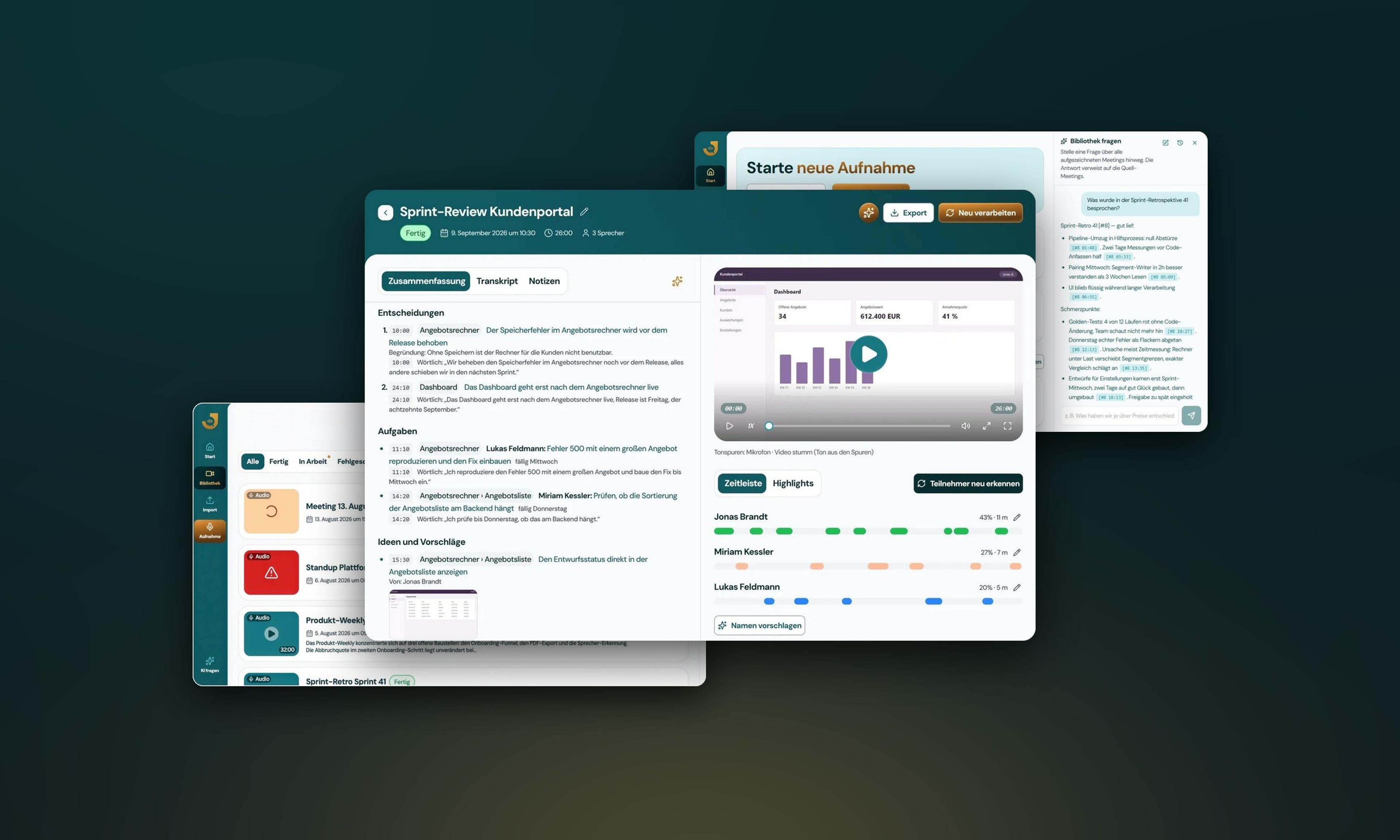
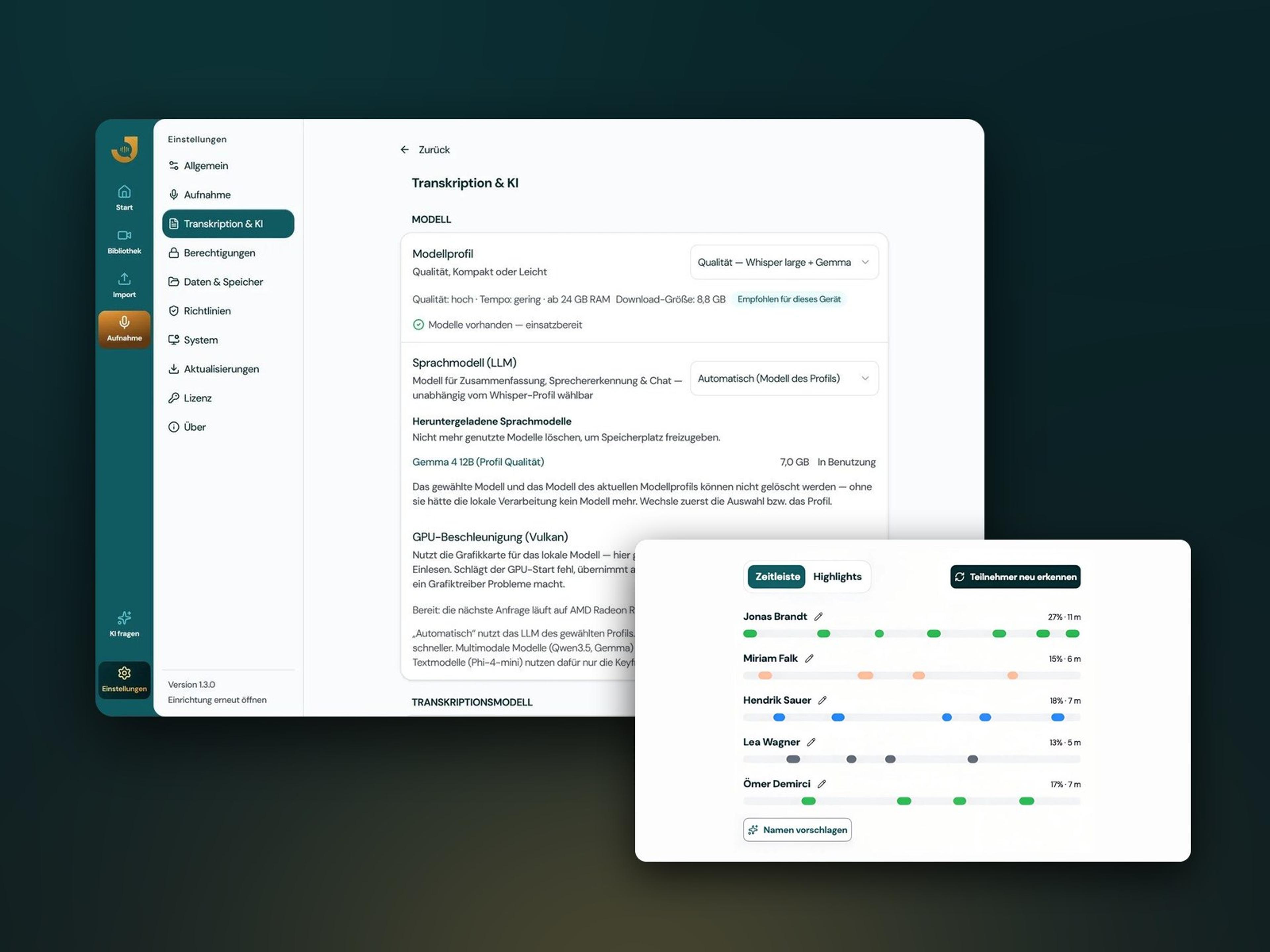
Jexity Meet, minutes of a sprint review with decisions, tasks and speaker timeline, behind it the recordings library and the start screen with library chat
100% local by default
Transcription and speaker separation never leave your device.
Three model profiles
Quality for 24 GB of memory or more, Compact for 12 GB or more and Light for any machine.
Mac and Windows
For Mac with Apple Silicon running macOS 14 or later and for Windows 10 and 11.
How it works in three steps
Three steps from recording to finished minutes, without changing the way you work.
Record
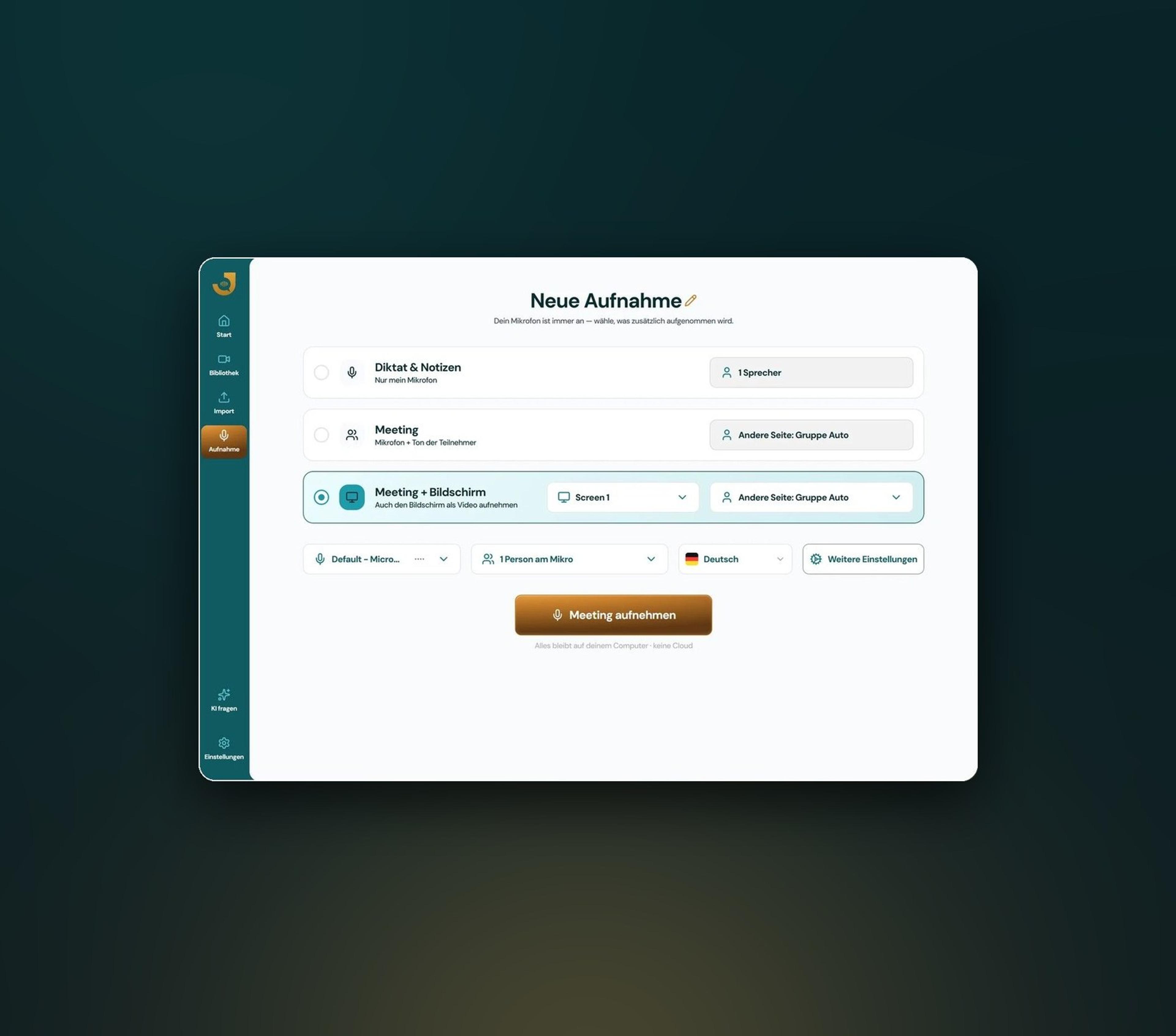
One click starts recording the microphone, system sound and, if you want, the screen. This works in an online meeting as well as in the meeting room. Echo cancellation keeps the recording clear, even when the other side is heard through speakers.
Process locally
Transcription, speaker separation and minutes run on your device by default. Decisions, tasks and open questions are then ready in a clear structure. Once the models are downloaded, this also works entirely without an internet connection.
Use the minutes
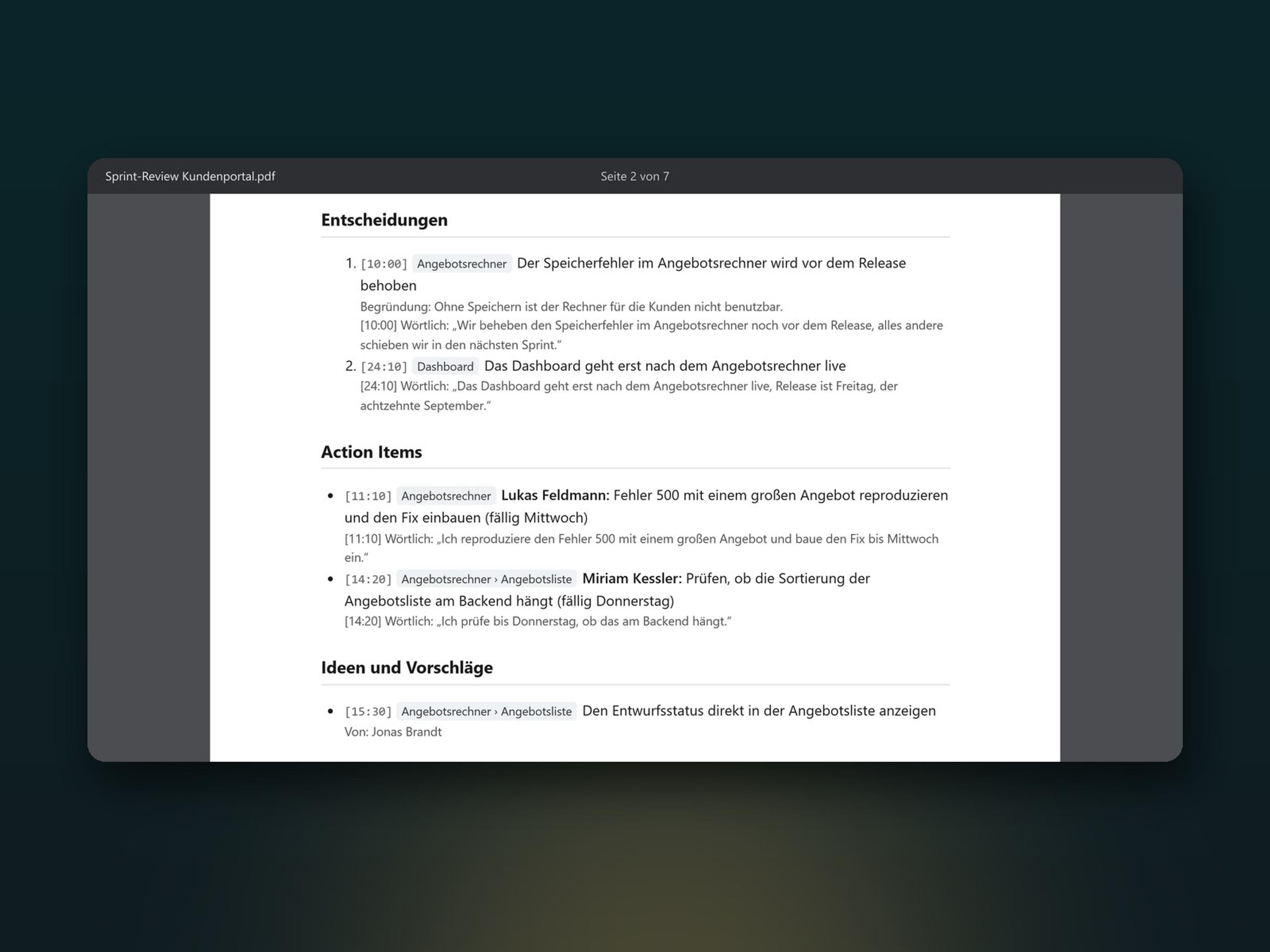
You check the result, correct individual passages if needed and export the minutes as PDF or Markdown, or as Word with Pro. Then they are ready for your team, your archive or your client.
Does this sound familiar?
Typical problems when taking meeting minutes and how Jexity Meet solves them.
A bot at the table
A recording bot shows up in the call as an extra participant. Jexity Meet records directly on your computer, without anyone joining. No integration with Teams, Zoom, Meet or Webex is needed, and in-person meetings can be recorded too.
Minutes take time
Whoever takes notes cannot fully focus on the conversation. With Jexity Meet the minutes are ready automatically after the meeting. Nobody has to join just to take notes, which saves working time.
Unclear who said what
The transcript does not show who said what. Jexity Meet assigns every statement to the person who made it and suggests names if you like. So the minutes also show who took on which task.
Technical terms spelled wrong
Product names and technical terms end up wrong in the transcript. With your own dictionary Jexity Meet spells them correctly, in the minutes and in every export too. You maintain the dictionary once, and it applies to every future recording.
Typical uses of Jexity Meet
- Proving decisions
Even weeks later you see at a glance what was decided in a meeting, and you can prove it at any time. - Assigning tasks
Who does what appears as a task in the minutes. The verbatim minutes show the exact sentence next to it, so no commitment gets lost. - Finding knowledge again
Full-text search finds every word in all recordings. With Pro you ask questions about all your meetings, and every answer cites its sources. - Sharing results
As PDF or Markdown, or with Pro as Word with your letterhead. With Pro, the minutes can also go straight to your document archive or to Slack.
Minutes with evidence
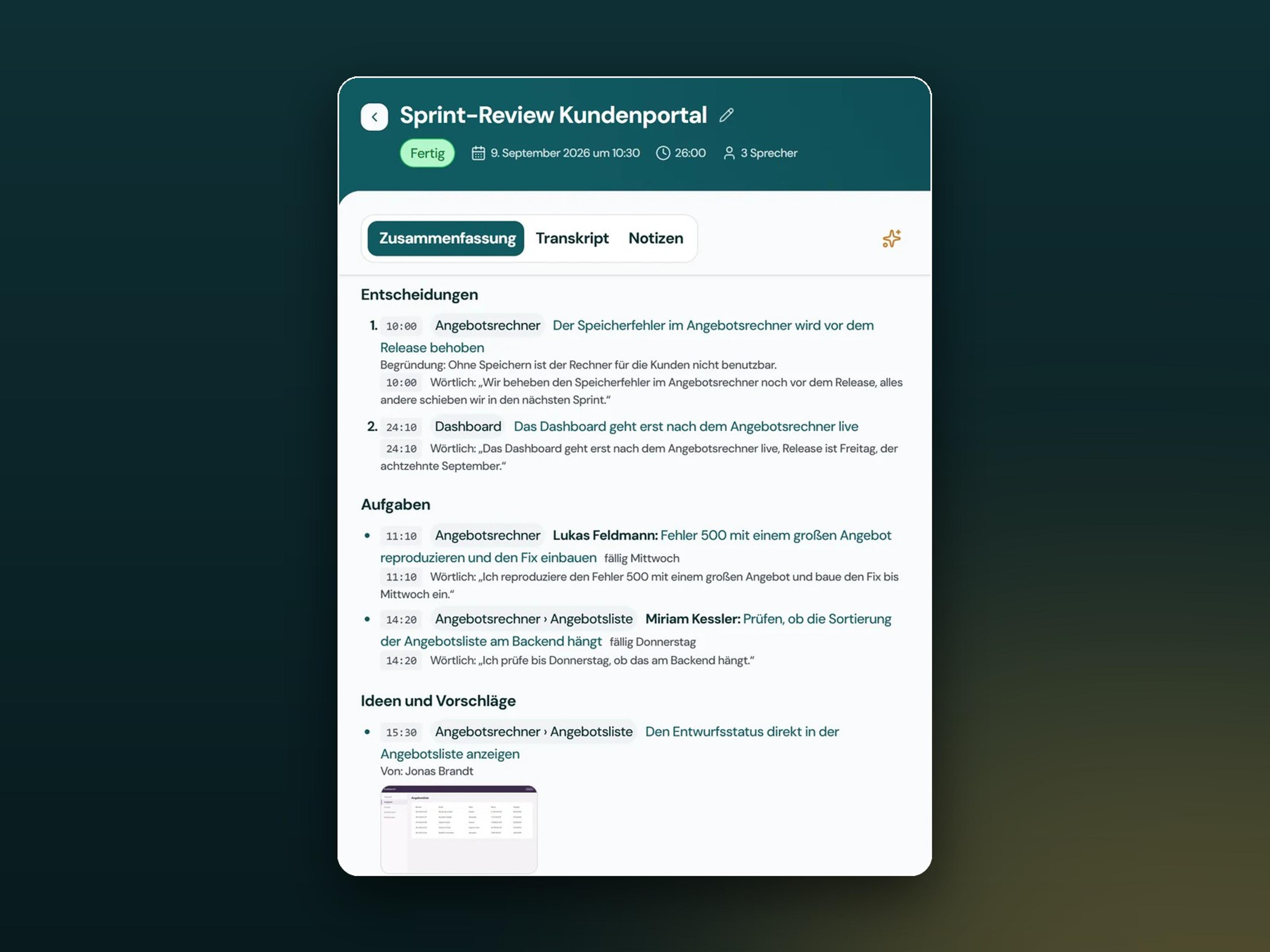
- Backed by timestamps
Every decision and every task refers to its place in the transcript. If no matching sentence appears there, the minutes do not list the point as a decision. - Corrections apply everywhere
The transcript stays editable, and your dictionary also applies to the minutes and every export the next time they are processed. - Translation with Pro
The app translates transcript and minutes into seven languages, such as French, Spanish or Dutch. - Ten templates
From summary minutes to resolution minutes, plus an editor for your own templates, depending on the licence.
Full control for your IT
- Block the cloud by policy
In the Enterprise plan you block cloud models centrally for all devices, so nobody can switch them on. - Consent before recording
In the Enterprise plan, a policy makes the app ask participants for consent before every recording. - No telemetry
The app sends no usage statistics and no automatic crash reports. - Automatic deletion
The app deletes recordings permanently after a period that you set, without a recycle bin.
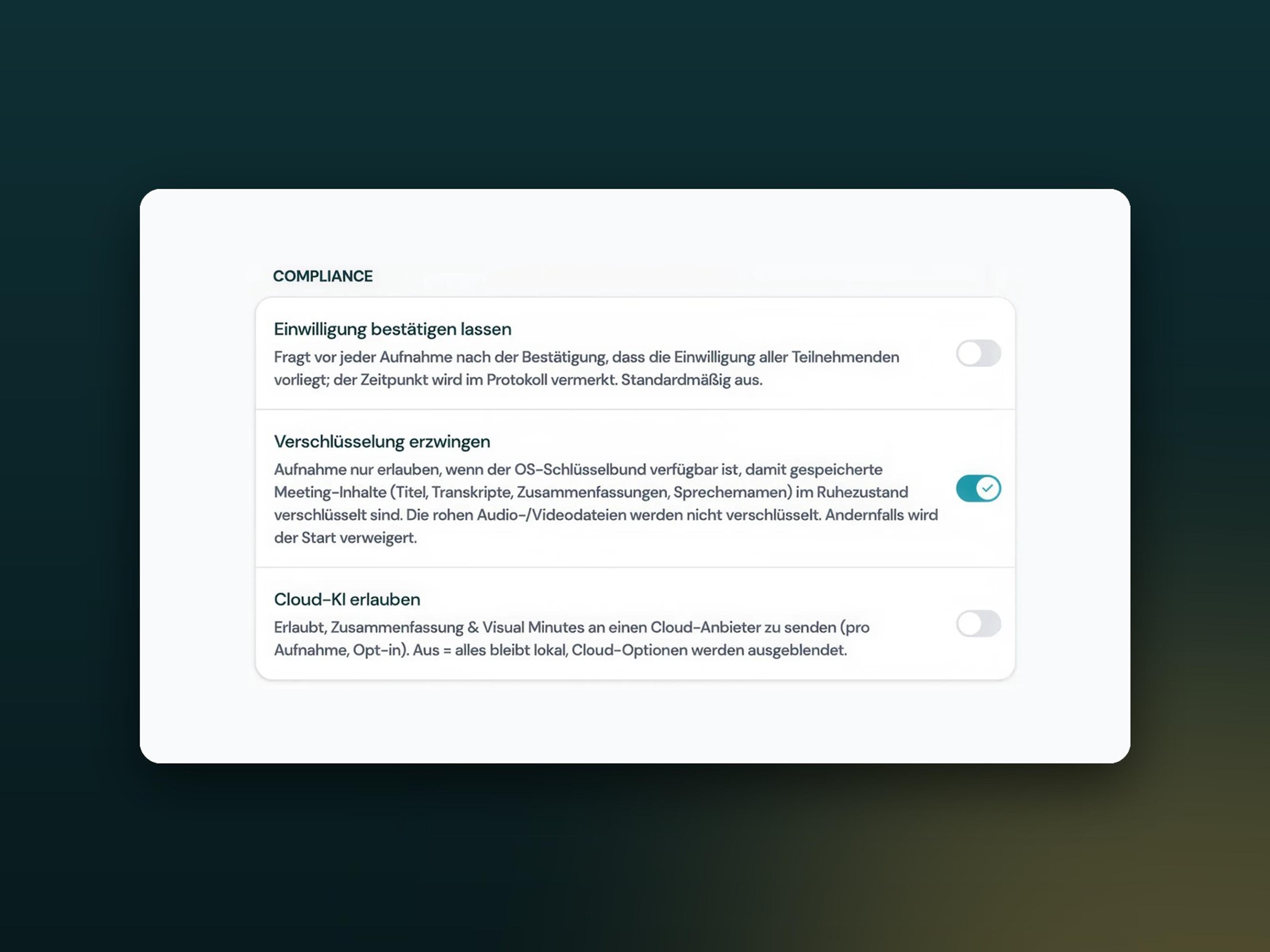
What the AI in Jexity Meet does
Jexity Meet works with several AI models that run on your computer by default. The app downloads them on first start, after which they work without an internet connection.
Always on your computer
- Transcription turns the recording into text, in German and English.
- Speaker separation recognises who speaks when.
Neither step ever leaves the device, not even with cloud models switched on.
Local or in the cloud if you choose
- Minutes with summary, decisions and tasks from the transcript.
- Visual evidence from stills of the shared screen, with Pro.
- Chat with one meeting or your whole library, with Pro.
- Translation of transcript and minutes, with Pro.
- Name suggestions for speakers from the conversation context.
Cloud models are available from the Max plan and only when you switch them on. Then the provider you chose receives the transcript text and, with image analysis on, stills of the screen. Audio never leaves the computer, and we do not train any models with your content.
Jexity Meet and cloud tools compared
How Jexity Meet differs from minutes tools that process meetings in their provider's cloud.
Feature
Jexity Meet
Cloud tools
Processing
In the provider's cloud
Internet connection
Needed for every processing run
Offline use
Only usable with a connection
Recording
Often via a bot as a participant
Storage
On the provider's servers
Cloud models
Used for every processing run
Telemetry
Depends on the provider
Jexity Meet
Cloud tools
Processing
In the provider's cloud
Internet connection
Needed for every processing run
Offline use
Only usable with a connection
Recording
Often via a bot as a participant
Storage
On the provider's servers
Cloud models
Used for every processing run
Telemetry
Depends on the provider
All features of Jexity Meet
Every feature has its own page on jexitymeet.de with all the details.
Precise transcription
Jexity Meet transcribes German and English, even when both languages come up in the same meeting. You store product names and technical terms in your own dictionary.
Automatic speaker separation
The transcript assigns every statement to the person who made it, in the meeting room as well as on a call. If you want, the AI suggests names that you confirm or adjust.
Structured minutes
Instead of a wall of text, the minutes are organised into summary, decisions, tasks and open questions. You see at a glance what was decided and what is still open.
Visual Minutes
With the Pro plan, Jexity Meet adds stills of the shared screen to the minutes. Demos, ideas and bugs that were shown are documented right under the matching entry.
Chat with your meetings
With the Pro plan, you ask questions about a single meeting or your whole archive. Every answer cites the passages it is based on, so you can check it quickly.
Clear recordings
The built-in echo cancellation separates your voice from the other side's audio on your speakers. This keeps the transcript clean and easy to read, even without a headset.
Export as PDF and Word
PDF and Markdown come with every plan, Word and video with the Pro plan. PDF and Word documents carry your letterhead, your signature line and your logo.
Protected storage
The app stores transcripts and minutes encrypted, secured by the keychain of your operating system. Recordings stay on hardware that you control.
Recording reminder
When a call starts in a meeting app, Jexity Meet can offer to record it. No recording ever starts on its own. It only begins once you confirm.
Jexity Meet plans
What each plan includes. You can find current pricing on jexitymeet.de.
Basis
For one device.
- Recording without a bot
- Two templates for minutes
- Export as PDF and Markdown
- Transcript and speaker separation
Pro
For up to three devices.
- All ten templates with editor
- Ask questions about meetings or the library
- Visual Minutes and translation
- Integrations and Word export
Max
For up to five devices.
- Everything in Pro
- Cloud and LAN models
- Priority support by email
- Setup call on request
Enterprise
For your whole organisation.
- Managed administration
- MDM and GPO templates
- Offline activation available
- Dedicated contact person
Built by Evelan
Jexity Meet is a product of Evelan GmbH from Hamburg, built for meetings whose content has to stay in-house.
- Winner of the German Web Awards 2025
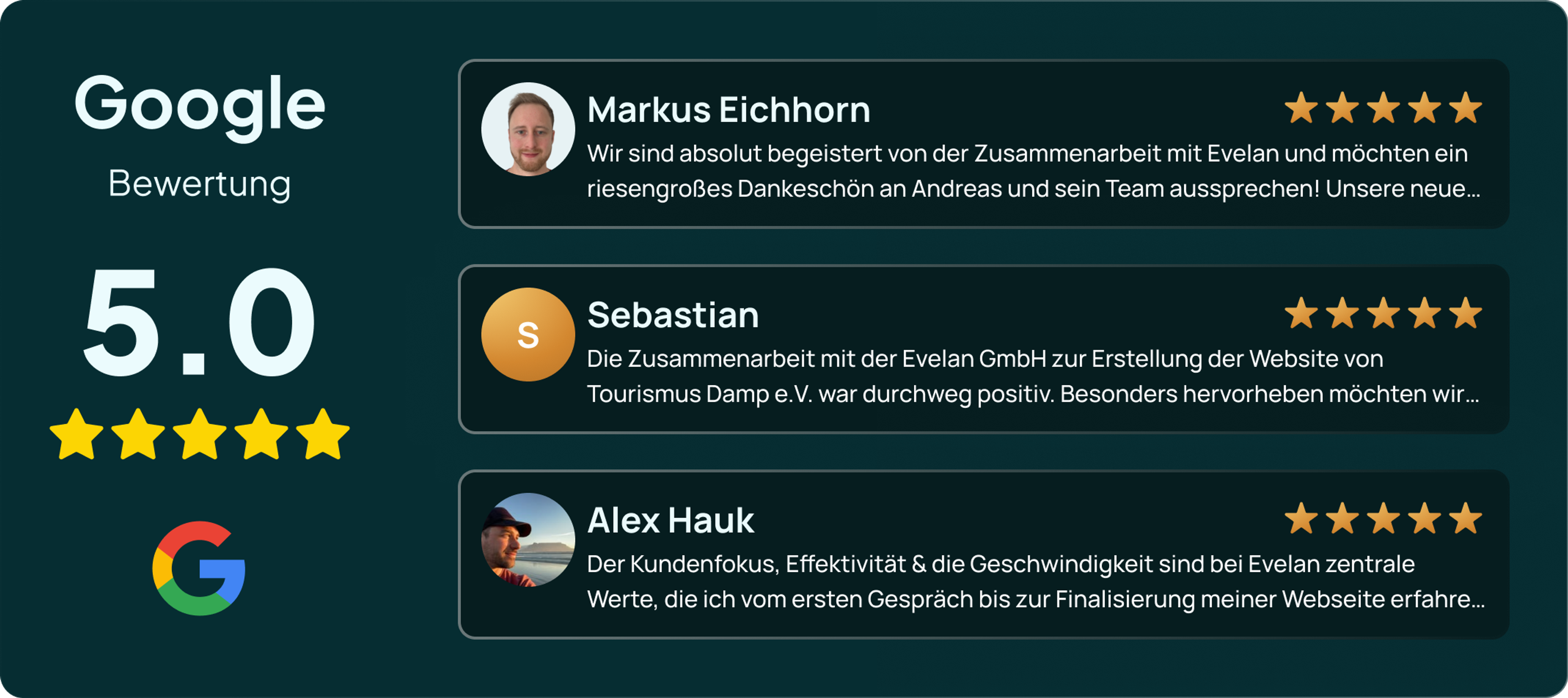
- 5.0 stars in Google reviews

Questions about Jexity Meet
Only for downloading the AI models, the licence check and updates. Recording, transcription and minutes run without an internet connection, and an activated licence keeps working offline for up to 30 days.