Jexity Chat
Jexity Chat answers questions on your website from your own content and shows the source under every answer. It guides visitors to the next step and hands over to your team when it matters.
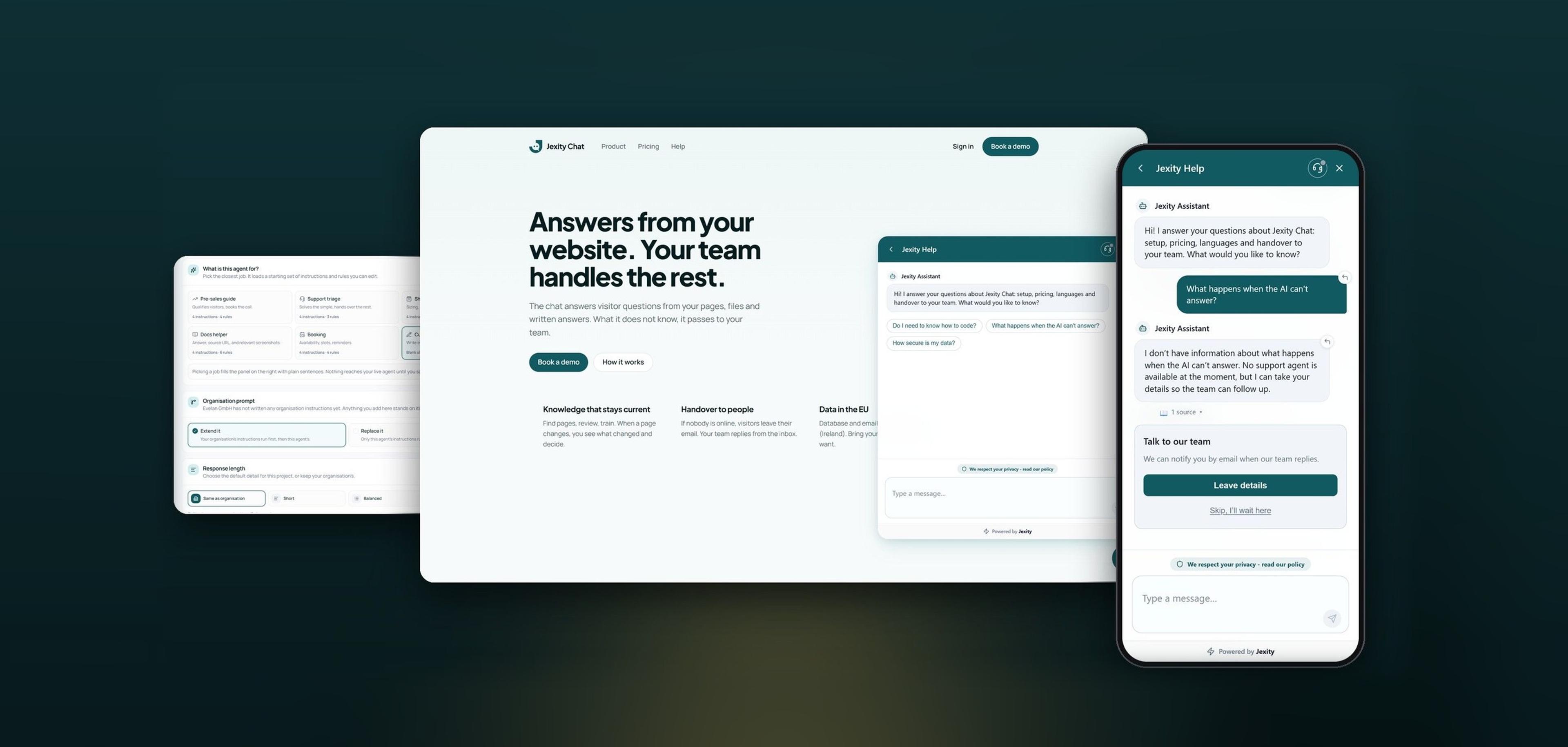
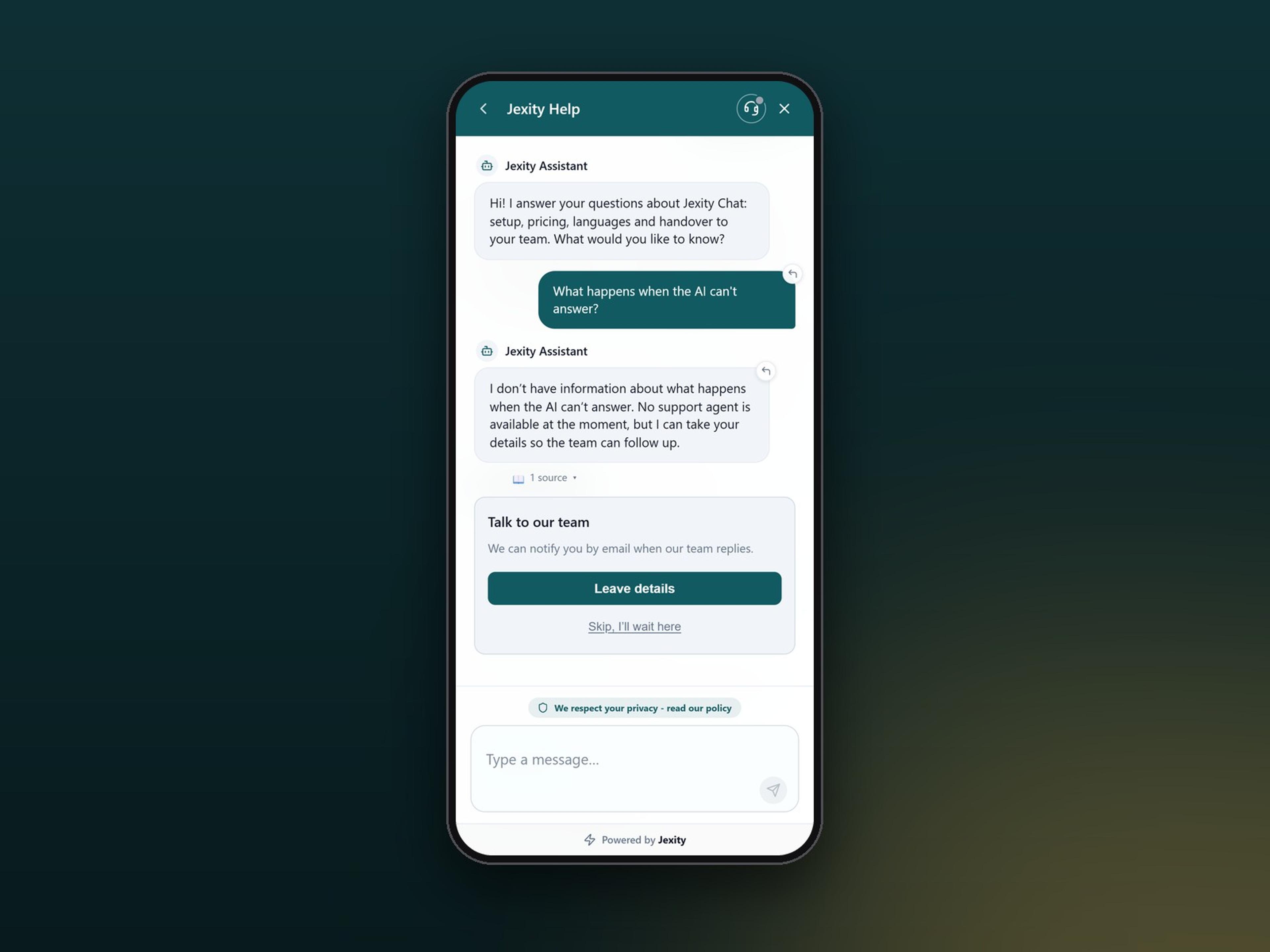
Jexity Chat on a website and on a smartphone with handover to the team
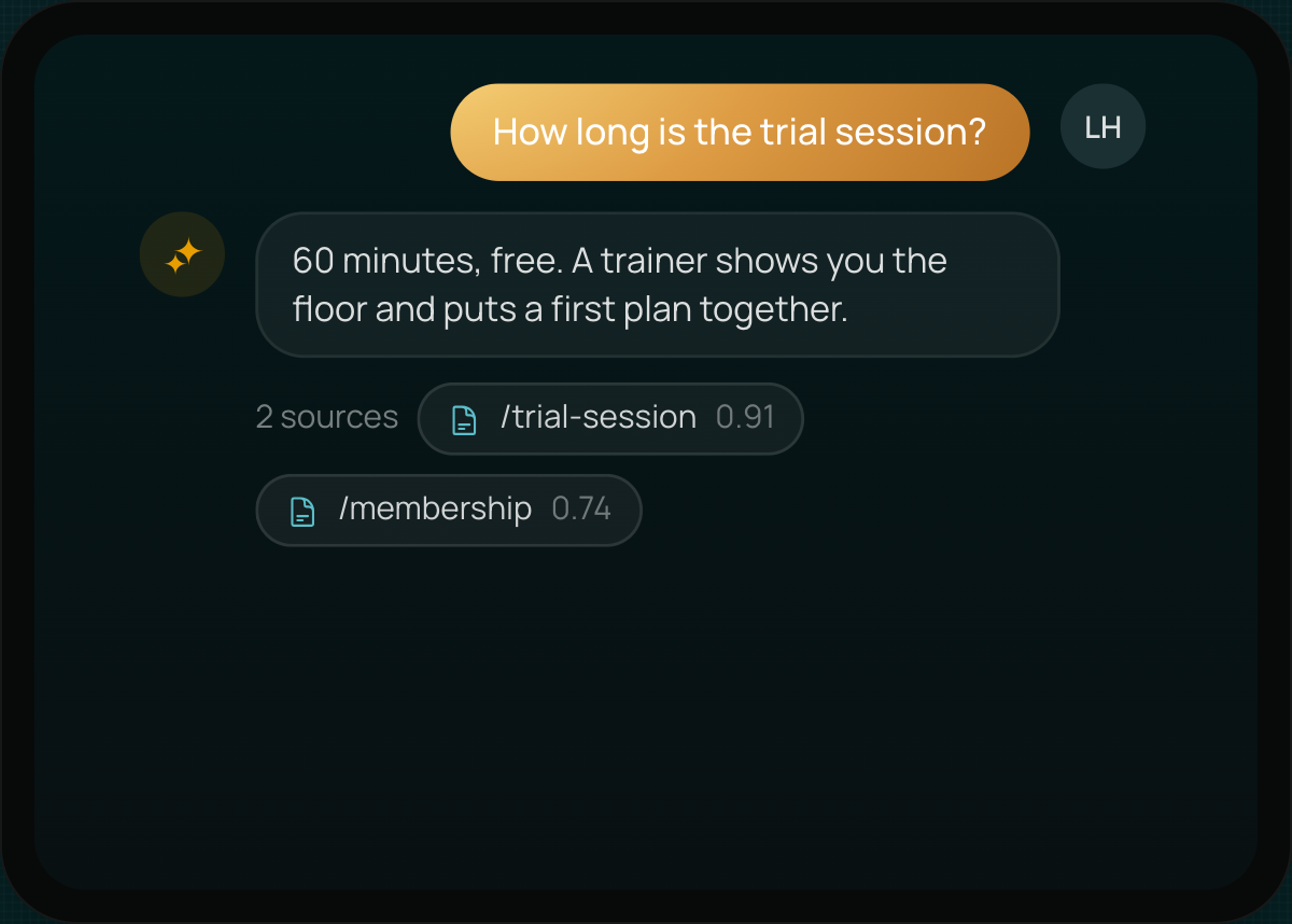
Answers with sources
Every answer shows the source it comes from.
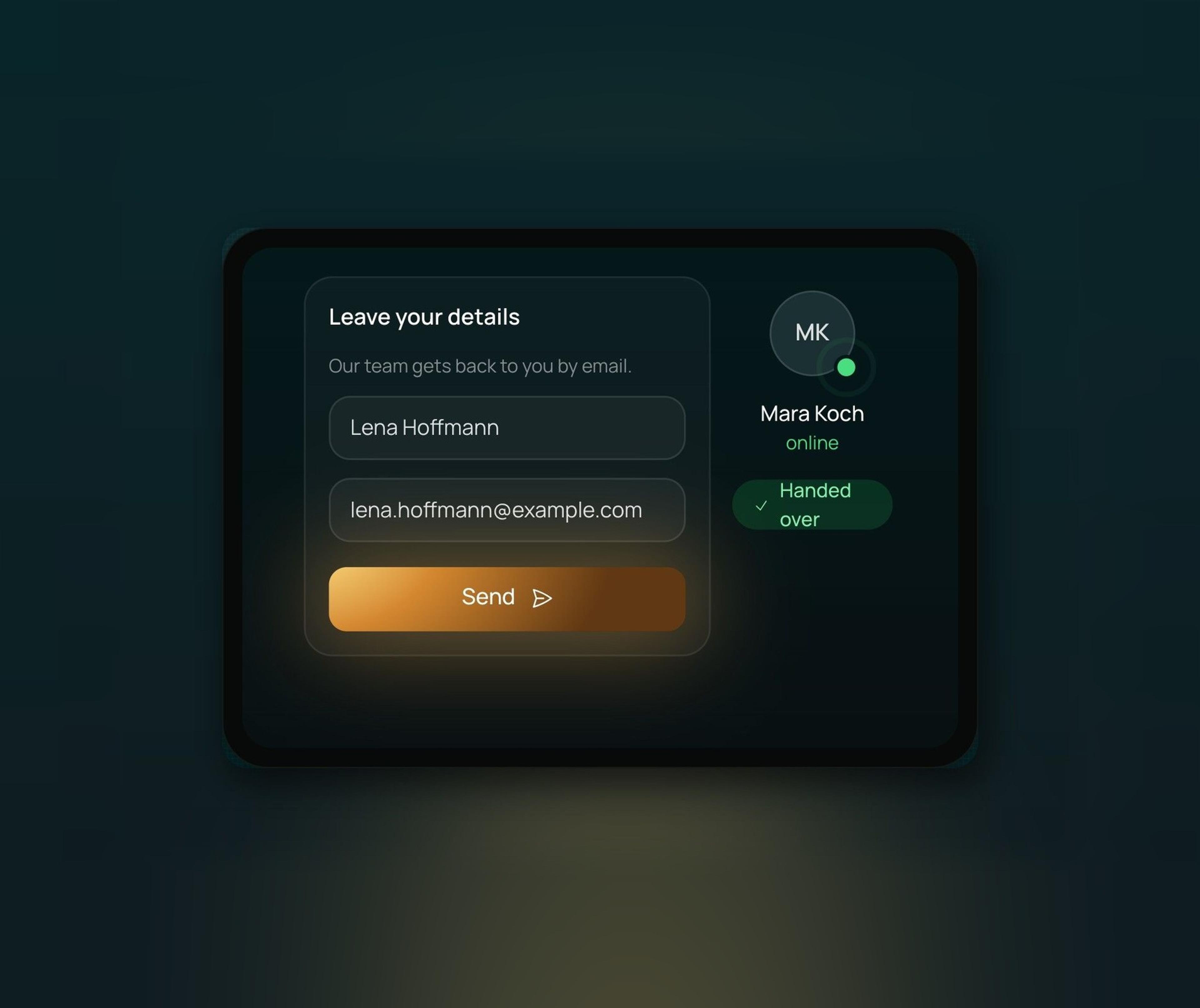
Handover to your team
When it matters, a person takes over the conversation.
In your design
Name, colours, font and greeting fit your website.
Where the chat gets its answers
Jexity Chat answers only from what is in your knowledge base, meaning the pages of your website, your files and answers you wrote yourself, and it shows the source under every answer. When a page changes, the check shows what is old and what is new, and you decide whether the chat learns it. If something is not in your content, it says so openly and offers to bring in your team.
Add knowledge
Pages of your website, files such as PDF or Word and your own answers form the basis. The knowledge applies to all websites of your organisation or to just one.
Set tone and rules
You set instructions, rules and the tone per website. That way the AI answers the way your team would. Some rules always apply, for example that the AI does not ask for contact details and offers a person when it gets stuck.
Answers with sources
Every answer shows its source, and the AI does not make up prices or opening hours. It understands follow-up questions in context and answers in the language of the visitor.
AI chatbot for your website
Jexity Chat answers your visitors’ questions, brings in your team when a person is needed and fits the design of your website. It uses AI only for clearly defined tasks.
Handover to your team
- Closing knowledge gaps
You add missing answers yourself, with Pro also as suggestions from your team's replies. - When the chat hands over
If the AI gets stuck or the visitor asks for a person, your team takes over. - Live or by email
If someone is online, they take over in the chat. Otherwise the visitor leaves their name and email. - Your team knows right away
With a handover your team gets an email with a link to the conversation and a notification in the dashboard. - Confirmation for visitors
The visitor gets a confirmation with a reference number, optionally with a summary.
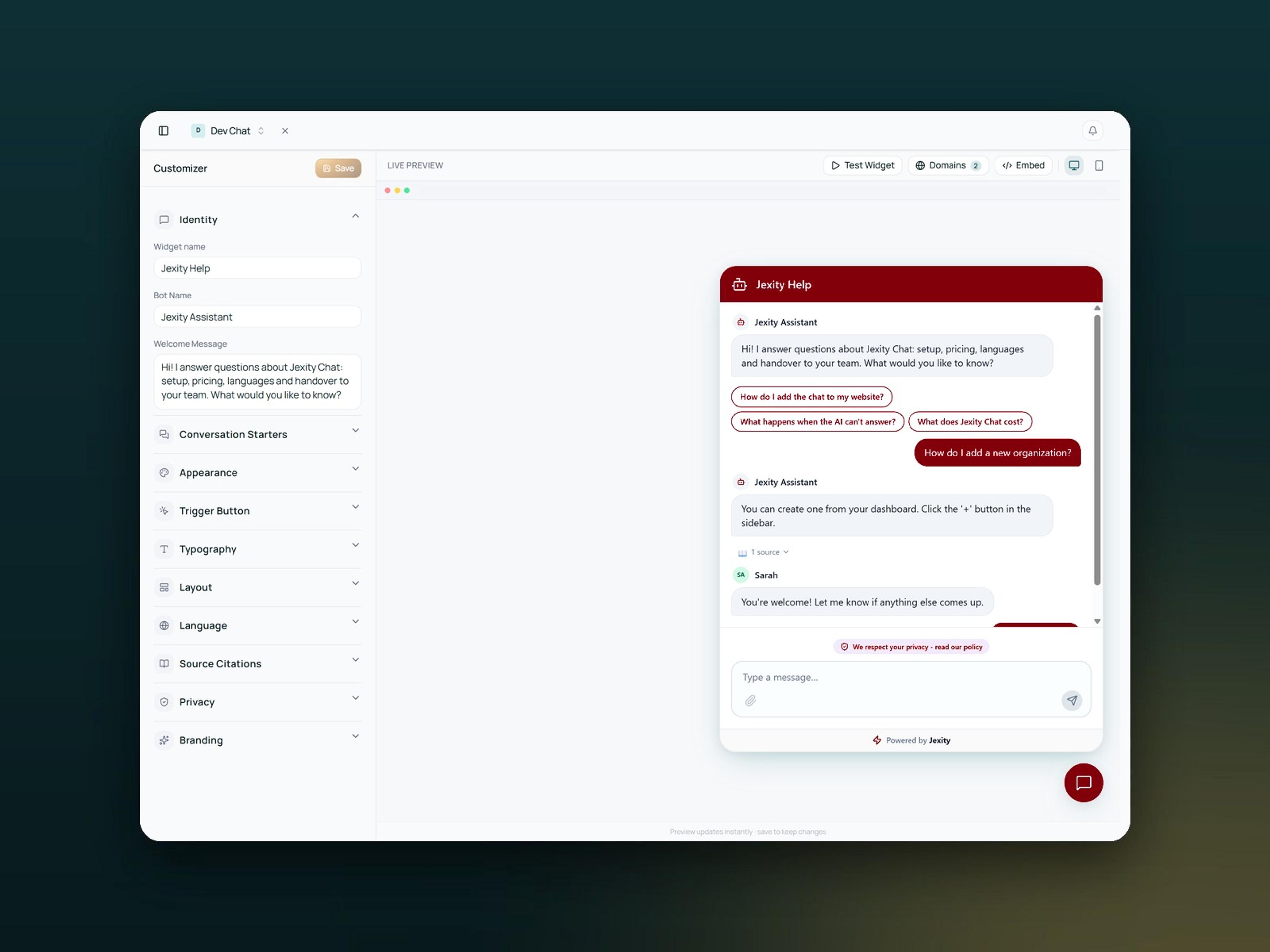
Your chat in your design
- Colours, font and launcher
You set title, colours, font and position per website in the Widget Studio. - Preview in the dashboard
The live preview shows every change at once, and the test chat answers as it would on your website. - Conversation starters
Questions to click on make it easier for visitors to start the conversation. - Speaks up by itself
If you like, the chat greets visitors by itself after a few seconds. - Embedding your way
The chat opens from your own button or sits directly in a section of your page.
What Jexity Chat uses AI for
- Writing answers
The AI receives the question, the conversation so far and matching passages from your knowledge base. - Making content findable
When you train, your texts go to OpenAI, which builds a search index from them. That way the chat later finds the right passages for every question. - Recognising requests
If a visitor wants to book a trial session, for example, the AI opens the right form. - Summarising conversations
From Pro the AI summarises every conversation in the inbox in three points. - Sensitive data protected
Form data and bank details do not go to the AI. OpenAI does not train on your data.
Everything comes together in the dashboard
Jexity Chat handles the four jobs above on your website. Everything that happens there comes together in the dashboard below and is visible to your whole team. There your team sees every conversation, assigns it and takes care of everything that needs a person.
Jobs on your website
Answer and hand over
Jexity Chat answers from your website and your files and shows the source. If the AI does not know something, it says so openly and brings in a person, live in the chat or by email.
Sell and qualify
The chat explains your services and asks what the visitor needs. You set the next step, such as a callback or your booking page, and anyone who gets in touch reaches your team as a lead.
Book and sign up
When a visitor wants a trial session, the AI opens a form with free slots live from Magicline. Memberships run with a SEPA mandate, and the IBAN is never stored by us. Other systems are possible on request.
Documentation and help
Jexity Chat reads your documentation through llms.txt or the sitemap. Visitors ask in their own words and get the answer with a link to the article, and if the answer is not there, the AI hands over to your team.
In the dashboard
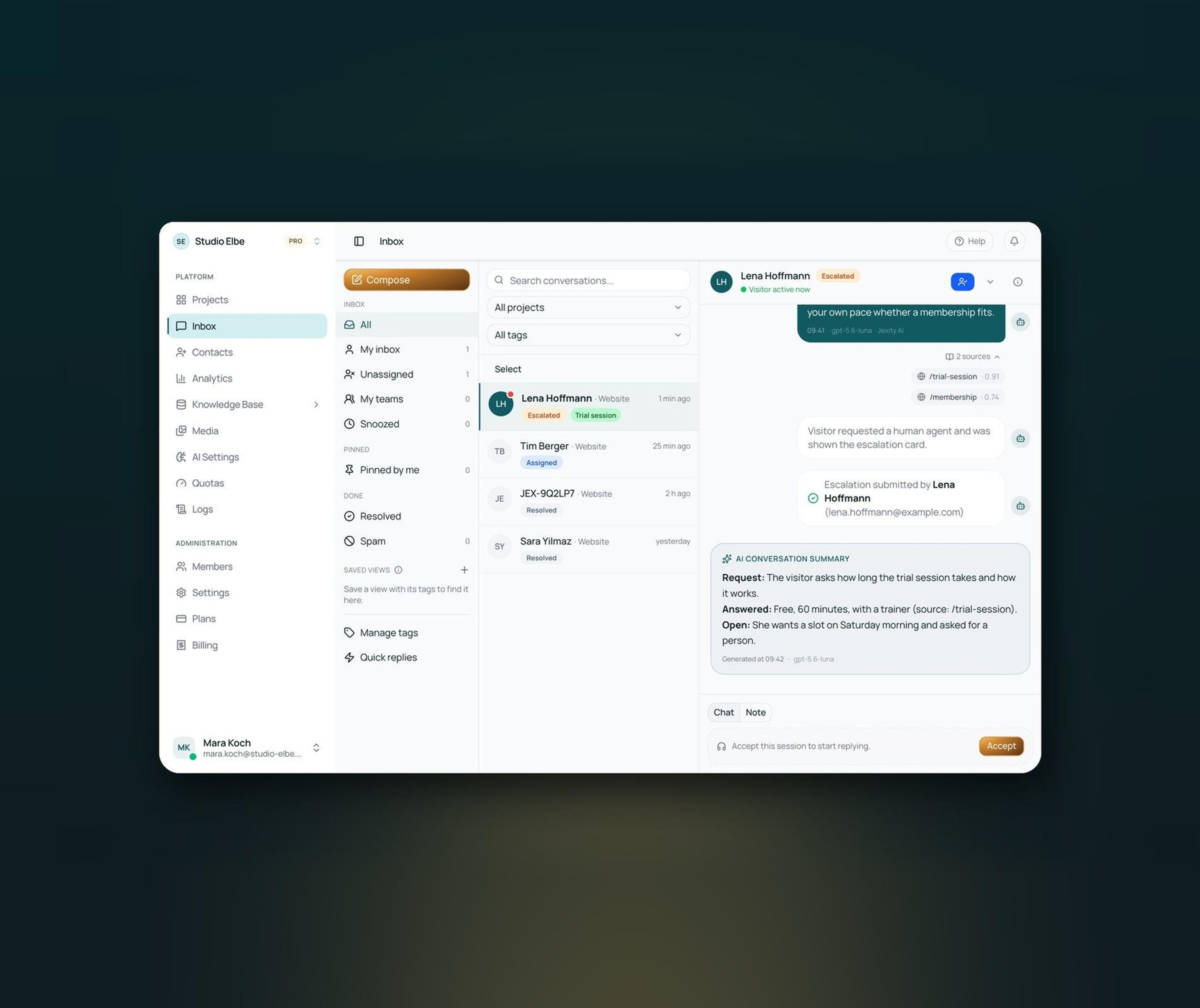
One inbox
All conversations from all websites in one place. A label shows whether a conversation is waiting, assigned or resolved. Quick replies, notes and tags help too. With Pro the AI summarises every conversation in three points.
Replies by email
If the visitor has left the chat, you reply by email straight from the inbox and quote their questions. The email is sent in the name of your chat, and if the visitor replies, the email arrives at your handover address.
Leads with a status
Anyone who leaves a name and email address in the handover form becomes a lead with a status from new to closed. You add phone, company and notes yourself, and you export the list as CSV.
Team and notifications
Every website has its own widget and its own inbox. Roles per website decide who sees and edits what, and each person sets up their own notifications in the dashboard and on the desktop.
All features of Jexity Chat
Every feature has its own page on jexitychat.de with all the details.
The widget
One line of code and the chat sits on your website, in German and English.
Answers with sources
The AI answers only from the content you approved and shows the page it comes from.
Handover to your team
When the AI cannot help, your team takes over in the chat or later by email.
One inbox
Your team works through every conversation together, without switching between mailboxes.
Leads
Prospects from the chat land in their own list as contacts, not in a mailbox.
Knowledge base
Pages of your website, files and your own answers. You decide what the AI knows.
Replies by email
Even after the visitor has left the page, they still get their answer.
Team and websites
A separate widget for each website and clear roles for who may see what.
Your own AI key
OpenAI, Anthropic, Google or DeepSeek through your account, in every paid plan.
Integrations
From the chat into your system, through JavaScript or an integration on request.
Look and greeting
Colours, font, greeting and conversation starters set separately for every website.
Tone and rules
Instructions, rules and tone per website, so the AI answers the way your team would.
Problems Jexity Chat solves
Many tasks on your website recur every day. Jexity Chat takes them off your team and hands over when a person is needed.
Problem
With Jexity Chat
Without the right chat
The same questions every day
Your team keeps answering questions whose answer is already on your website
Bots that make up answers
A chatbot that guesses damages trust more than no answer at all
No way to a person
Visitors with a real question end up in a dead end and leave
Questions after hours
Questions in the evening or at the weekend wait until the next working day
Prospects without contact
Visitors leave the website without leaving a name or email address
Conversations everywhere
Requests spread across several websites, mailboxes and colleagues
Outdated answers
When a page changes, the answer in the chat is no longer right
Visitors in another language
Questions in another language wait or end up with the wrong colleague
With Jexity Chat
Without the right chat
The same questions every day
Your team keeps answering questions whose answer is already on your website
Bots that make up answers
A chatbot that guesses damages trust more than no answer at all
No way to a person
Visitors with a real question end up in a dead end and leave
Questions after hours
Questions in the evening or at the weekend wait until the next working day
Prospects without contact
Visitors leave the website without leaving a name or email address
Conversations everywhere
Requests spread across several websites, mailboxes and colleagues
Outdated answers
When a page changes, the answer in the chat is no longer right
Visitors in another language
Questions in another language wait or end up with the wrong colleague
Plans for Jexity Chat
What each plan includes. The Free plan stays free, with inbox and widget for one website and no AI. Current prices are on jexitychat.de.
Pro
For 2 projects and 3 users.
- AI chatbot with knowledge base
- 2,500 AI answers per month
- Your own AI key
- Central inbox, leads and analytics
Team
For 5 projects and 15 users.
- Everything in Pro
- 5,000 AI answers per month
- Removable Jexity notice
- Priority email support
Business
For 10 projects and 50 users.
- Everything in Team
- 10,000 AI answers per month
- 100 knowledge sources
- 365-day activity log
Enterprise
For organisations with their own requirements.
- Projects and users by agreement
- Your own AI key
- Removable Jexity notice
- Personal onboarding
Built by Evelan
Jexity Chat is a product of Evelan GmbH from Hamburg, which develops and runs it.
- Winner of the German Web Awards 2025
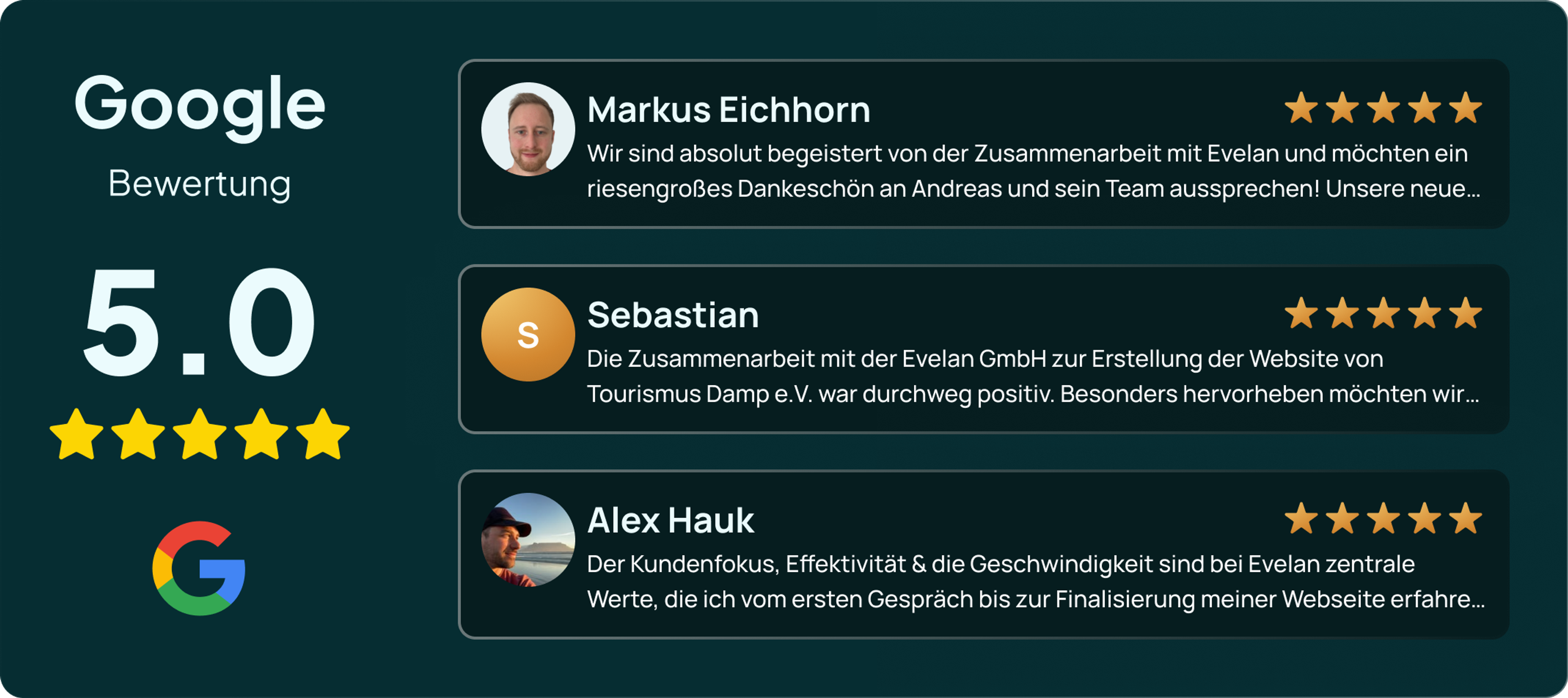
- 5.0 stars in Google reviews

Questions about Jexity Chat
From pages of your website, from files such as PDF, Word, Markdown or CSV and from answers you write yourself. When a page changes, Jexity Chat shows you what changed.