Key Takeaways
- Active consent is mandatory: Pre-ticked boxes are not permitted, ever since the ECJ ruled on 1 October 2019 in the Planet49 case (C-673/17).
- Section 25 TDDDG requires consent: Any access to the end device is only permitted after clear consent, unless it is strictly technically necessary.
- Fines are real: The French CNIL imposed a EUR 150M penalty on Google on 31 December 2021 because rejecting was harder than accepting.
- Rejecting must be as easy as consenting: A noyb study shows that 81% of websites offer no reject button on the first layer at all.
Anyone running a website in Germany cannot avoid valid cookie consent. Section 25 TDDDG (the German Telecommunications Digital Services Data Protection Act) and Article 6 GDPR require active consent before non-essential cookies are set or external services are loaded. How seriously supervisory authorities take this is shown by the CNIL penalty of EUR 150M against Google on 31 December 2021. In this guide I show you which requirements apply today, where the most common mistakes lie, and how a consent layer can be integrated into a modern website with minimal maintenance.
What does the cookie banner requirement prescribe today?
The answer is short: without consent, you may not set anything that is not strictly technically necessary. Full stop. Section 25(1) TDDDG puts it this way: the storage of or access to information in the end device is only permitted if the end user has consented on the basis of clear and comprehensive information. This rule applies regardless of whether it involves cookies, LocalStorage, fingerprinting or pixels.
For consent to be valid, it must, under Article 4(11) GDPR, be given freely, specifically, in an informed manner and through an unambiguous affirmative action. Silence is not enough. A grey banner is not enough. Clicking through to a subpage does not count as consent either. The ECJ established this clearly in the Planet49 case on 1 October 2019: pre-ticked boxes are not consent. The German Federal Court of Justice (BGH) confirmed this outcome for Germany in May 2020 under case number I ZR 7/16.

In audits at small and medium-sized businesses in northern Germany, I keep seeing the same setup. A friendly banner with a large "Accept all" button. Next to it, small and grey, a "Settings" link. There is no real "Reject" button. That such an asymmetry becomes expensive is shown by the Google case: the CNIL imposed EUR 150M because rejecting cookies was not as easy as accepting them. Anyone who wants to correctly implement the GDPR requirements for websites must offer rejection on an equal footing.
It is also important to note that the obligation affects not only large online shops with a marketing setup, but every German website that embeds third-party scripts. A law firm homepage with Google Maps under the directions, a tradesperson's site with YouTube reference videos, or a B2B presence with Google Fonts falls under the same rule as an online shop with tracking pixels. The size of the website does not change the obligation, it only changes the scope of a violation.
When does a website actually need consent?
A rule of thumb helps here: as soon as a service goes beyond what is technically necessary, you need consent.
What is allowed without consent
Necessary examples include session cookies for the shopping cart, the login status, a CSRF token or the language selection. These cookies fulfil a service explicitly requested by the user and fall under the exception of Section 25(2) TDDDG. As soon as tracking, marketing or personalisation comes into play, the assessment flips.
Which services require consent
In practice, the following specifically require consent:
- Google Analytics, Matomo (in cookie mode), Hotjar, Plausible with cookies
- Google Ads, Meta Pixel, LinkedIn Insight Tag, TikTok Pixel
- YouTube, Vimeo and Spotify embeds
- Google Maps and external fonts from Google Fonts
- Chat widgets such as Intercom, HubSpot, Zendesk
- A/B testing tools such as VWO or Optimizely
What many underestimate: simply loading external resources transfers the IP address to third parties. The DSK Orientation Guide on Telemedia 2021 from the German supervisory authorities makes clear that embedded content also requires consent under Section 25 TDDDG. Even a simple Google Maps module with directions to the branch office falls under this. Anyone who wants to be on the safe side loads external resources only after an active opt-in. You can find more on this in our guide to a legally compliant website.
What does a cookie consent manager do in the background?
The four core tasks of a CMP
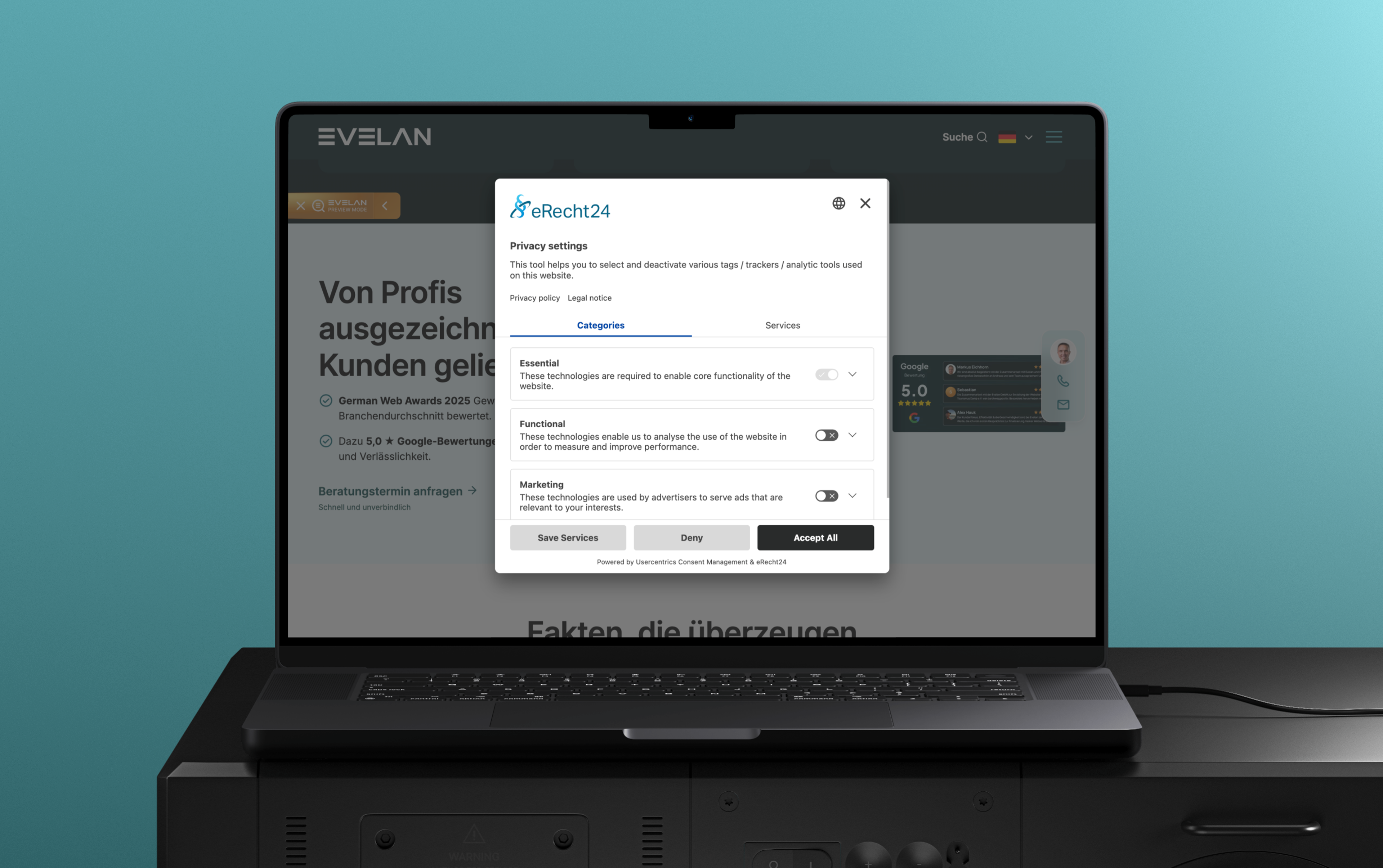
Professional consent management handles four tasks simultaneously. First, it regularly scans the website and assigns each script it finds to a category, such as statistics, marketing or convenience. Second, it blocks all non-essential tags until consent is given. Third, it stores each visitor's decision in an audit-proof manner with a timestamp, the chosen categories and the banner version. Fourth, it provides a reopen link through which the selection can be changed at any time.
Well-known providers and their limits
Well-known providers are Cookiebot, Usercentrics, Borlabs Cookie, Iubenda and OneTrust. They differ in price, tag database and depth of compliance. The mechanism behind them is similar everywhere: tag manager integration, a central configuration in the dashboard, a generated banner with a customised design. Anyone who develops it themselves takes on full responsibility for maintenance. That works for very simple sites. However, as soon as external scripts are loaded via marketing tools, the manual solution quickly becomes a never-ending construction site.
Separate appearance and effect cleanly
The clean separation between appearance and effect is important. A banner that contains all the buttons but continues to start trackers in the background is still not compliant. The reverse case also exists: a technically correct blocking layer whose "Reject" option, however, is hidden in a submenu. Both are classic audit findings. Anyone who is working on their security settings in parallel should consider consent and the Content Security Policy together.
A good CMP also relieves the marketing department of the worry that new tools will become active unnoticed. As soon as an additional tag appears in the tag manager, the weekly scan assigns it to a category and blocks it for now. Anyone who has a maintenance contract with the agency gets this step included. Without this coupling, the consent solution quickly becomes an island that was set up cleanly once but, three months later, no longer reflects what is actually happening on the site.
What fines are there for a faulty cookie banner?
The Google case: EUR 150M
The most expensive lesson of recent years came from the French supervisory authority. On 31 December 2021, the CNIL imposed a fine of EUR 150M on Google and an additional EUR 60M on Meta. The reason sounds simple: on google.fr and youtube.com, a single click was enough to accept, while rejecting required several steps. The CNIL judged this asymmetry to be a non-compliant rejection mechanism and thus a violation of freely given consent.
Risk in Germany: authorities and cease-and-desist letters
In Germany, penalties are less often made public, but the risk remains high. Supervisory authorities such as the BayLDA, the LfDI Baden-Wuerttemberg or the LDI NRW actively review cookie banners and issue formal orders. On top of this comes the competition law angle. The ECJ confirmed on 4 October 2024 in the Lindenapotheke case (C-21/23) that member states may allow competitors to pursue GDPR violations in court as an unfair business practice. A single violation rarely costs EUR 150M, but six recurring incidents at EUR 5,000 in legal fees each add up to a noticeable sum.
On top of this comes the reputational damage, which cannot be captured in an invoice total. A report in the local paper about a data protection complaint, or a review noting "loads trackers before you can consent", lingers longer in B2B sales than the actual penalty. Especially for mid-sized companies whose business model is built on trust, such mentions hit harder than a one-off fine. The legal assessment and the economic consequence are two sides of the same obligation.

The burden of proof lies with the operator
The burden of proof lies with the website operator. Article 7(1) GDPR formulates this clearly: anyone who relies on consent must be able to prove it. A consent system without logging is therefore not a solution but a risk. In the event of a dispute, you must show when which visitor consented to which category and which banner version was active at the time. Without such records, a defence is practically impossible.
Dark patterns and typical mistakes in consent management
What the noyb study reveals
The most honest study on cookie banners comes from noyb, the initiative founded by Max Schrems. An examination of 560 websites in 33 countries produced a clear picture in May 2021: 81 percent offered no reject button on the first layer at all, 73 percent used colour tricks to push toward consent, and 90 percent made subsequent withdrawal more difficult. The pattern repeats even five years later.
Five classes of mistakes from audit practice
From my audit practice, five classes of mistakes emerge that I find almost every time:
- Pre-consent tracking. Scripts start when the page loads, the banner appears only afterwards. From a data protection perspective, the damage has already been done before the visitor could even click.
- Hidden reject button. "Accept" glows in colour, "Settings" sits in grey in the footer of the banner, "Reject" does not exist at all or only two clicks deeper. This exact setup cost Google the EUR 150M.
- Categories without effect. The user makes a selection, but in the source code all scripts run regardless of status. Even a pretty banner offers no protection if the technical control is missing.
- Missing reopen function. The visitor cannot change their choice because there is no "Adjust privacy settings" link in the footer. This directly violates Article 7(3) GDPR.
- Outdated configuration. Over the year, marketing adds tools, but the consent configuration does not move with them. Six months later, the website delivers data to services that are not even listed in the banner.
Anyone who treats the banner as a design task misses the point. It is a legal instrument with a technical foundation. The legal notice (Impressum) is also part of the basic legal setup of every site, but it can be added retroactively without consent logic. With the cookie banner, that does not work.
Common Cookie Banner Mistakes
- ❌ Banner only shows a notice, but no real choice
- ❌ Cookies run before consent is given
- ❌ "Reject" is hidden or hard to find
- ❌ No storage or documentation of the consent
- ❌ No withdrawal possible
These mistakes mean the website is not GDPR-compliant, even when a banner is displayed.
How do you introduce a CMP into a website with minimal maintenance?
A clean rollout runs in five steps. The order is important: anyone who starts with the banner design instead of the inventory builds pretty interfaces for a reality they do not even know.
Step 1: Inventory of all scripts
Which scripts are currently running? Which embeds, which marketing pixels, which tools in the tag manager? An automatic scan helps but does not replace looking at the source code and at the requirements of the marketing department. Only once you know what transfers data can you control it.
Step 2: Choose the right tool
For classic SME websites up to 50,000 page views per month, Cookiebot or Borlabs Cookie are usually sufficient. Larger setups with several domains and subdomains benefit from Usercentrics or OneTrust. TCF compatibility is important if advertising networks are integrated, as is an API for your own scripts that should react to consent changes.
Step 3: Technical integration
All external scripts are initially blocked and released via the cookie manager. Anyone using a tag manager sets consent triggers per tag and then checks with the preview mode whether nothing actually fires for a fictional first-time visitor. For direct integrations in the template, a class marker helps, which the CMP rewrites into the executable MIME type after consent. You load external fonts locally from your own server, which saves an entire consent category. You replace embeds such as YouTube, Vimeo or Google Maps with click placeholders showing a preview image, which only load the original service after consent.
Step 4: Documentation and reopen link
Every consent event goes into a log within the tool, the footer gets a visible "Cookie settings" link, and the banner receives clearly worded texts. This way, consent remains provable and revocable at any time.
Step 5: Quarterly routine
The step that is often forgotten. Once per quarter: run the scan, categorise new scripts, remove old tags. Anyone who stays disciplined here has lasting peace of mind. For companies that tackle this as part of a professional web design implementation, the routine can be integrated into the maintenance contract.
An honest side note on revenue: legally compliant banners cost conversion. According to the etracker benchmark, on average 60% of visit data is lost when the banner is cleanly designed. This figure sounds harsh. But it is the reality that serious operators must reckon with. In return, the risk of fines and cease-and-desist letters disappears, and in the long run that is the better trade.
The cookie banner as a trust signal
A cookie banner is not the goal. The goal is a website whose tracking only runs after genuine consent and which can prove that consent at any time. Anyone who takes this seriously designs accepting and rejecting on an equal footing, blocks all non-essential scripts in a technically clean way, and logs every decision. Tools such as Cookiebot, Usercentrics or Borlabs make implementation easier but do not replace the operator's responsibility for ongoing maintenance.
I have been accompanying digital projects for over 21 years and have set up, corrected or replaced dozens of cookie setups in that time. The most expensive mistakes were never technically complex. They were always a banner that hid a problem instead of solving it. Anyone who invests the effort cleanly once saves themselves cease-and-desist letters, official orders, and above all the uneasy feeling at the next audit.
From Evelan's Practice
Many of our clients are not even aware that their website transfers data before anyone has consented. A YouTube video on the homepage, a Google Maps card with directions, Google Analytics for the analysis, plus a banner that only offers "Accept" and no real reject button. At first glance everything looks tidy, but in the background the trackers have long been running.
We see exactly this setup at Evelan regularly, across industries from the trades to consulting. We first record which services actually send data, block all non-essential scripts via a consent layer, and replace embeds such as YouTube or Maps with click placeholders. We then set up the consent log and a visible reopen link in the footer. No relaunch, just a clean consent integration that holds up in the next audit.
Frequently Asked Questions
Only strictly technically necessary cookies, for example for the shopping cart, the login status, a CSRF token or the language selection. Section 25(2) TDDDG permits this exception. As soon as a cookie enables analytics, marketing or convenience beyond the essential, you need active consent under Articles 6 and 7 GDPR.
Related Evelan Articles
- A Legally Compliant Website: The Practical Guide
- What Does the GDPR Require of Websites? Obligations, Risks, Practice
- How to Close the Biggest Security Gaps on Your Website
- Why a Legally Compliant Legal Notice Is Essential for Every Website
Sources
- ECJ: Judgment C-673/17 Planet49 (2019)
- ECJ: Press release 159/24 on judgment C-21/23 Lindenapotheke, competitor lawsuits over GDPR violations (2024, PDF)
- BGH: Press release I ZR 7/16 Cookie Consent II (2020)
- German Federal Ministry of Justice: Section 25 TDDDG (2024)
- EUR-Lex: GDPR Article 4(11) and Article 7 conditions for consent (2016)
- DSK: Orientation Guide on Telemedia 2021 Version 1.1 (2022, PDF)
- CNIL: Sanctions issued by the CNIL, Google EUR 150M and Meta EUR 60M over the cookie rejection mechanism (2021)
- noyb: noyb aims to end Cookie Banner Terror (2021)
- etracker: Cookie Consent Benchmarks (2025)